아래 엔비디아(nVIDIA) 공식 사이트로 들어갑니다.
https://developer.nvidia.com/cuda-gpus
NVIDIA CUDA GPU Compute Capability
Find the compute capability for your GPU.
developer.nvidia.com
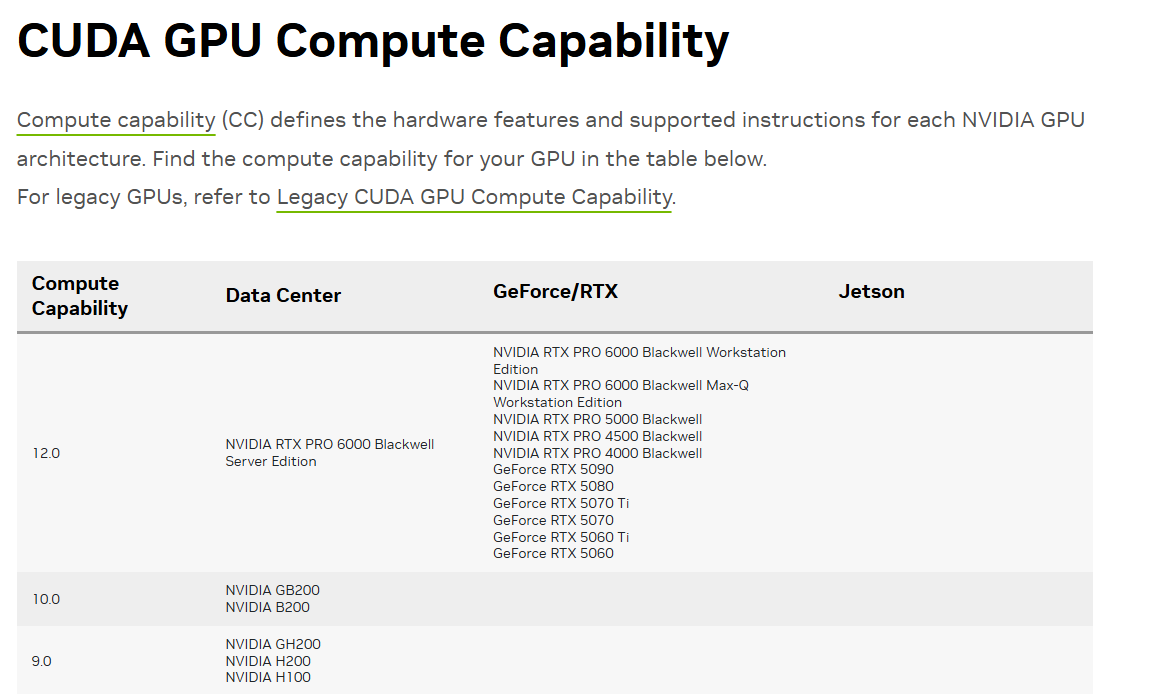
저는 5060Ti 사용자니까 Capability가 12.0이네용
https://developer.nvidia.com/cuda-toolkit-archive
CUDA Toolkit Archive
Previous releases of the CUDA Toolkit, GPU Computing SDK, documentation and developer drivers can be found using the links below. Please select the release you want from the list below, and be sure to check www.nvidia.com/drivers for more recent production
developer.nvidia.com
해당 사이트에 들어가면 이전 버젼들 쿠다도 다운받을수 있습니다
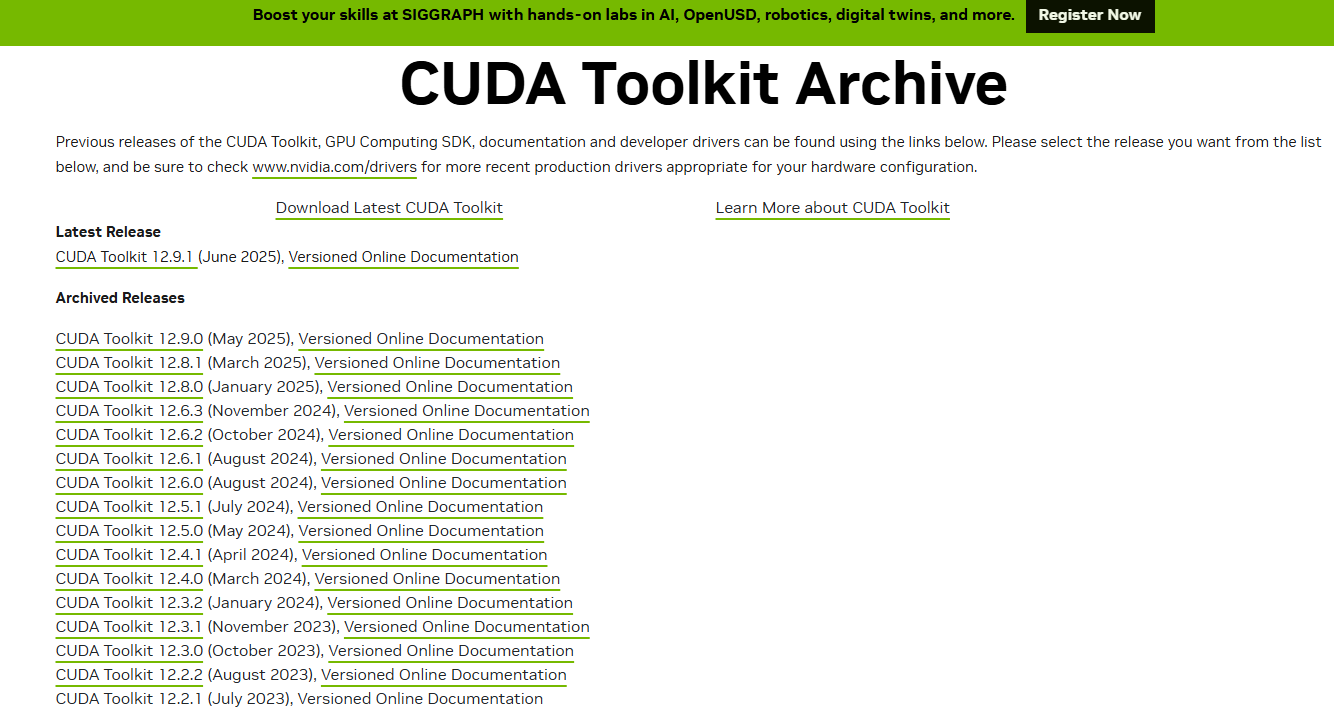

이것처럼 맞는 윈도우/리눅스 버젼과 Install type은 local로 다운받아줍시다
이후 cuDNN도 다운받아야합니다
https://developer.nvidia.com/rdp/cudnn-archive
cuDNN Archive
Download releases from the GPU-accelerated primitive library for deep neural networks.
developer.nvidia.com
해당 아카이브로 들어가면 CUDA 스펙에 맞는 cuDNN이 나와있는데
5060Ti 같은경우는 9.1X를 다운받아야해서 저는 9.11을 다운받았습니
https://www.nvidia.com/en-us/drivers/
Download The Latest Official NVIDIA Drivers
Download the latest official NVIDIA drivers to enhance your PC gaming experience and run apps faster.
www.nvidia.com
여기 접속해서 Driver도 깔아주고
다 다운받고나서
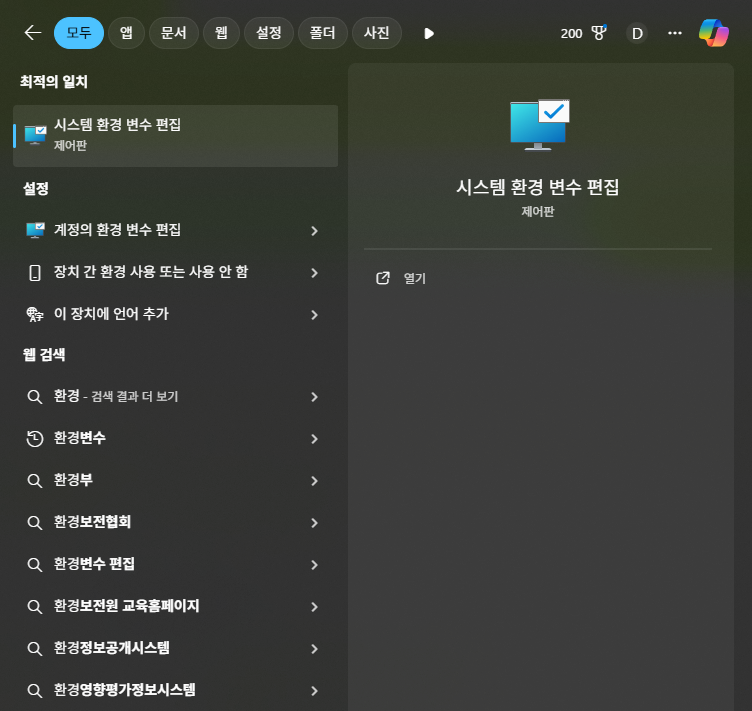

환경변수를 들어가서
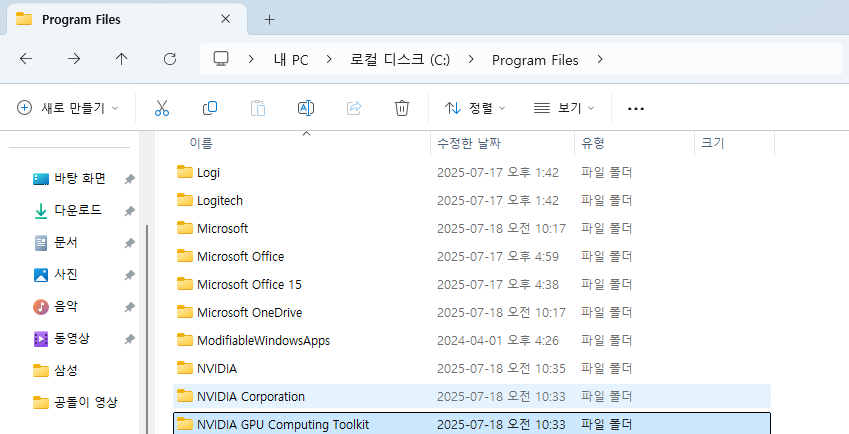
NVIDIA GPU Computing Toolkit을 보면
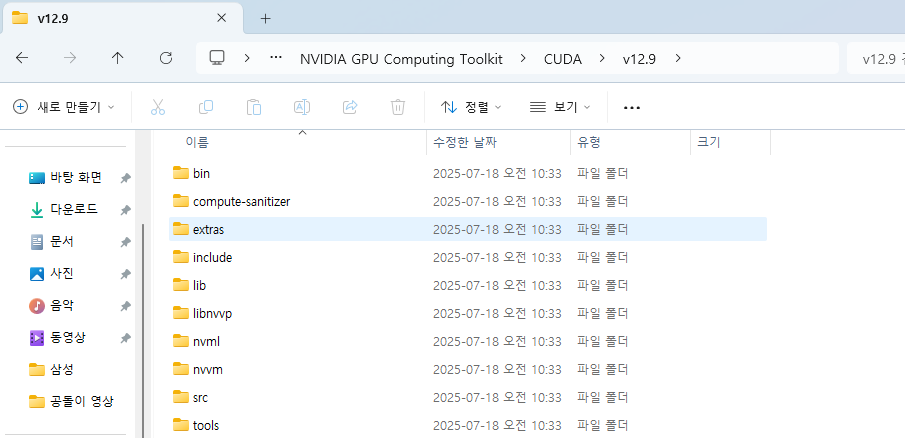
해당 파일이 존재하는데
bin
lib
include
세 파일의 경로를 복사 붙여넣기하여
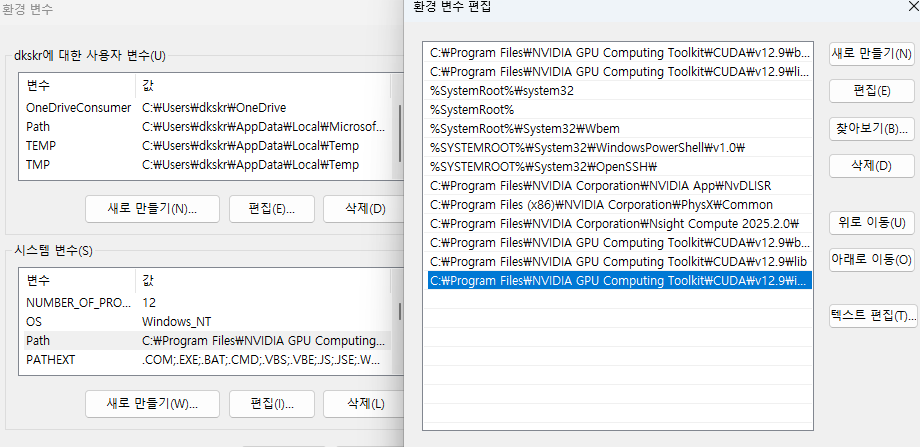
새로만들기해서 해당 경로들을 복사해준다
잘 설치됐는지 보려면
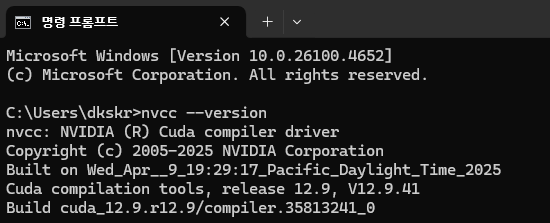
cmd 들어가서
nvcc --version 입력
위처럼 뜨면 정상출력
아니면 에러이다
파이썬 설치
Welcome to Python.org
The official home of the Python Programming Language
www.python.org
https://www.python.org/downloads/release/python-3103/
이 링크로가면 파이썬 3.10.3 다운로드 가능합니당
뒤에 링크보면 python-3103이라고 되어있는데 그러면 3.10.3 버전이고 3100이면 3.10.0이런식이므로 원하는 프로그램 다운받으시면됩니다

다운로드 누르고 하단 Add Python 3.10 to Path 활성화시켜주시고
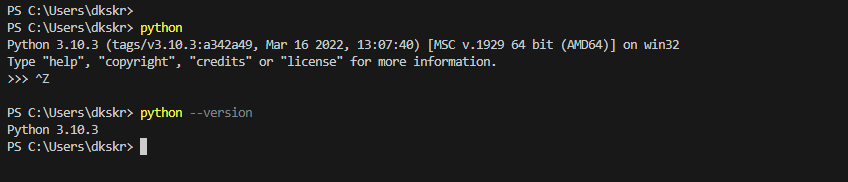
정상적으로 설치된걸 볼 수 있습니당
https://pytorch.org/get-started/locally/
Get Started
Set up PyTorch easily with local installation or supported cloud platforms.
pytorch.org
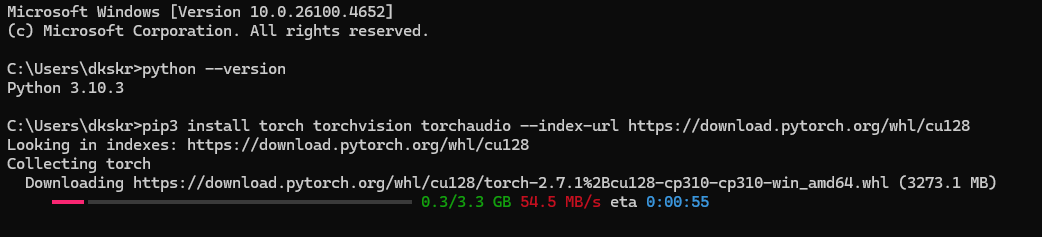
파이토치까지 설치해봅시당

Command Cmd 창에 복붙해주면
'DeepLearning' 카테고리의 다른 글
| 가상환경 설정상환경 설정/ Git clone (1) | 2025.07.18 |
|---|---|
| Deep learning/Image/filtering/pythorch (1) | 2025.07.08 |
| [DeepLearning]Epoch,Batch의 의미 (2) | 2025.02.05 |